10ch Wireless Security Cameras
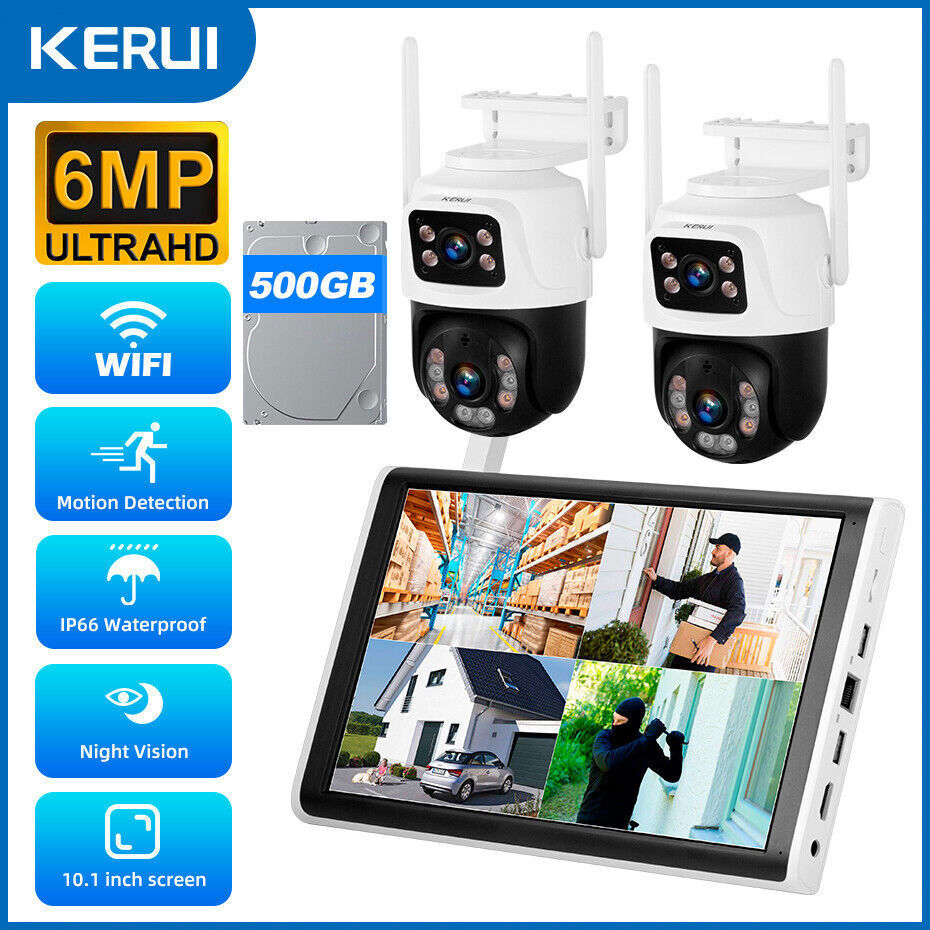
System 360° Ptz Outdoor Nvr System Kit 500gb Hdd
USD $217.98
Condition : New
Free Shipping

Notify me when the price drops
We will email you if we find a lower price on this product!
US STOCK! Fast Delivery, Fast Received!
About this item:
- 【Dual-Lens Dual Screen Bullet-PTZ Camera in 4MP Max View】 The cctv camera systems wireless outdoor with one fixed lens(110°,adjust the angle by hand) and one pan/tilt/zoom lens(Pan 355° & Tilt 90°,rotate on your phone) that can cover two areas .If the fixed camera detects a person or movement the PTZ camera spins around and immediately starts to track the person, giving you total coverage.One Dual lens Camera will show dual screen view,you can protect your house more angle.only use 4-cameras kit get 8-cameras kits function
- 【Wireless Pro,More than 100ft Range】Our security system adopts wireless pro technology,which has enhanced stability, faster video transmission, and lower latency,to guard your safety and ensuring your peace of mind.It has a WiFi module that you can connect with WiFi easily.
【Expandable 10CH NVR + HDMI Output Display】Need to cover more areas? This system supports up to 10 cameras to meet more monitoring needs. The built-in HDMI port allows you to connect the NVR to a TV, PC, or larger screen to view the wireless security cameras. View local video even if the network is lost.
【Color Night Vision & Alerts] Wireless IP Camera System is equipped with floodlights ,which can provide clear color night vision.Supports Sync-playback, Video Backup and Video detection. You can Receive Email Alerts upon Motion Detection or App Alert When Set it . Simply Record and Playback On Your Mobile Devices. Seamlessly Stream Video Directly to your Smartphone, Tablet and PC. Keep an Eye on Your Belongings Anywhere and Anytime.NVR and Cameras only need to connect 12V DC adapter.
- 【H.265+ Video Compression & 500GB Hard Drive】Compared with H.264,Second Generation H.265+ is able to double data compression ratio, improve video quality with low bit-rate,enables IP camera to deliver smooth HD video with low bandwidth,in turn,reducing the network bandwidth and save up to 50% video storage space.500Gb hard drive pre-installed support 24 hours More than 20-25 days reliable video recording.
【Remote Viewing ,Two Way Audio】After you connect our Wireless Surveillance Camera System to the internet, even if you travel on the other side of the earth,you can get real-time images of your home and talk with family through the “CloudEye 365” or “Eseecloud” App.Download free App “CloudEye 365” or “Eseecloud” App from Google Play or Apple App Store.PC/Laptop View: Windows / MAC System: Eseecloud Software.
Note :
Wireless means that the cameras can connect to the NVR automatically and wirelessly, but also need to be powered all the time.
The system can work without internet, just can't view on APP, if you want to view remotely, please need to connect the nvr to internet.
How to connect the system?
Follow these steps to quickly set up your security camera system
1.Power on Camera
Connect the 12V 1A power adapter to the Camera
Camera and NVR have been matched before delivery. All you have to do is plug the power supply.
2. Power on NVR
Connect theNVRwithDC12V 2Apower adapter
3. Connect with TV monitor
Connect the system and screen monitor with HDIM cable
Connect NVR with TV monitor or PC monitor
4. Connect with cellphone
Connect NVR with router by 2.4/5Ghz WiFi network with ethernet cable with router
Download CloudEye365, then you can remotely check the system anywhere
Auto Tracking
Enabling the auto-tracking feature can help you get detailedinformation about intruders. When motion is detected, the domecamera will automatically follow moving objects and leave them
with no place to hide
24/7 Loop Recording, Won't Miss any MomentThe ptz security camera system 500G HDD is pre-installed for around 25 days of 4 cameras 24/7 continuousrecording. HDD will overwrite automatically when it's full.






 .
.
